P.A.O. Productions

Search the site
Search the site
Search the site

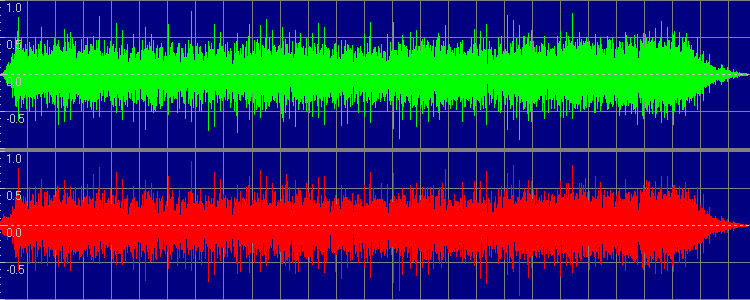
In essence, pre-emphasis was an artifical boosting of certain frequency ranges during the mastering process. A "flag" indicating the application of pre-emphasis ("PE" from this point) was added to the disc's table of contents (TOC) and/or to each affected track on the disc via the subcode. During playback, the disc player would then apply a real-time inverse equalization designed to cancel out the PE. The rationale for this was the need to reduce high frequency artifacts characteristic of early digital-to-analog converters in consumer equipment. The intentions underpinning the application of PE can be better understood by a comparison to the old Dolby noise reduction system used on commercial cassettes tapes through the 1990s. Dolby noise reduction essentially worked by artificially boosting higher frequencies in the original signal during recording. The playback machine would then reduce these boosted frequencies back down to their proper levels, which had the effect of restoring the intended sound of the recording while simultaneously reducing the tape hiss (this explanation is greatly oversimplified, but a full deep dive into the specifics is outside the scope of this primer). The idea behind PE was to apply similar theory to the new compact disc format to alleviate a similar type of problem.
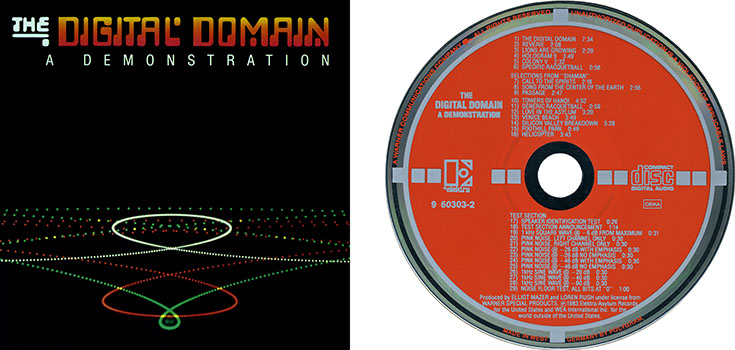
Unfortunately, this is where things get a bit dicey when it comes to ripping CDs. While initially more primitive, digital-to-analog converters quickly improved. The need to apply PE to commercial discs became less urgent, and, eventually, entirely superfluous. By the end of the 1980s, pre-emphasized discs were rare; although there are some notable examples of late-era new releases and instances of discs replicated directly from earlier, pre-emphasized runs, the practice has been essentially dead for decades. Applied correctly, the de-emphasizing process is completely transparent to the listener, being handled in the background by the player, and the compact disc format specifications (aka the "Red Book" standard) dictated by Philips and Sony in 1980 ensured that physical CD players would continue to correctly handle affected discs long after the practice of adding PE had ended. But fast forward to the late 1990s/early 2000s when PC optical drives are able to rip songs from these discs, and a major problem arises. The resultant rips sound unnaturally thin and bright when played back. Re-burn those ripped tracks to another CD, and that disc sounds thin and bright, too. But play the original CD in an actual player, and things sound... fine. What's happening here? The explanation is simple: the ripped audio files are being played back exactly as they were recorded onto the original CD - that is to say, with the frequency boost - but the de-emphasis equalization is not being applied during playback. The TOC and/or subcode flags present on the original disc aren't being copied over, aren't being included in the ripped files, and what you're hearing is the actual sound of the audio on the original CD as played back directly, without any PE compensation. And how you correct for this is a problem that's been discussed in audiophile circles for years.
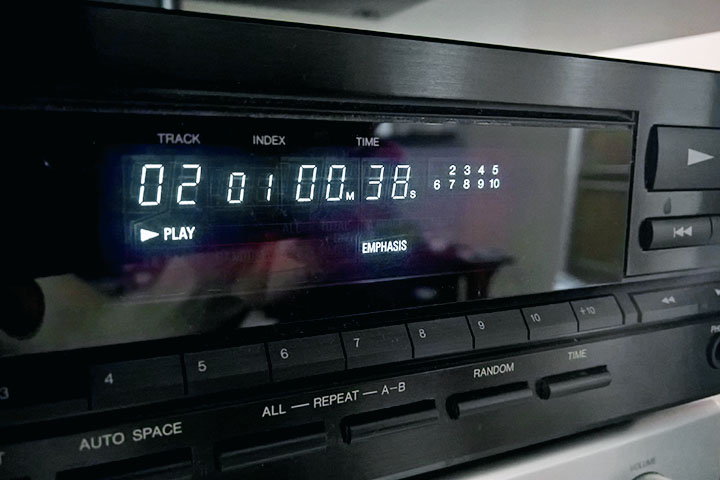
Unfortunately, there's no definitive listing of compact discs whose mastering employed pre-emphasis. Attempts have been made to compile one, but a full accounting of affected discs has yet to appear. These efforts are complicated by the fact that, in many cases, affected albums are only affected on very specific masterings, with other masterings sounding just fine without needing de-emphasis (Tom Petty and the Heartbreakers' Southern Accents is one such example - my personal copy lacks PE, but there are others out there that have it). Even worse, there were instances of discs having their PE flags set incorrectly, either omitting them altogether when PE was actually present, or adding them when it was not, and this can even vary between tracks on the same disc (the bargain-basement Creative Sounds issues of early Black Sabbath albums are infamous for having incorrectly set PE flags). The best means of identifying discs with PE are the use of certain vintage CD players, or simply going by ear if you know how an album "should" sound. The issue with using the ear method is that playback will sound perfectly normal on a physical CD player. It's the ripped audio files that will need to be evaluated. Some audiophile CD players from the 1980s identified emphasized tracks by a special light or other indicator on the display. This is the case for my vintage Denon DCD-810 unit, which displays a notification when PE is detected.
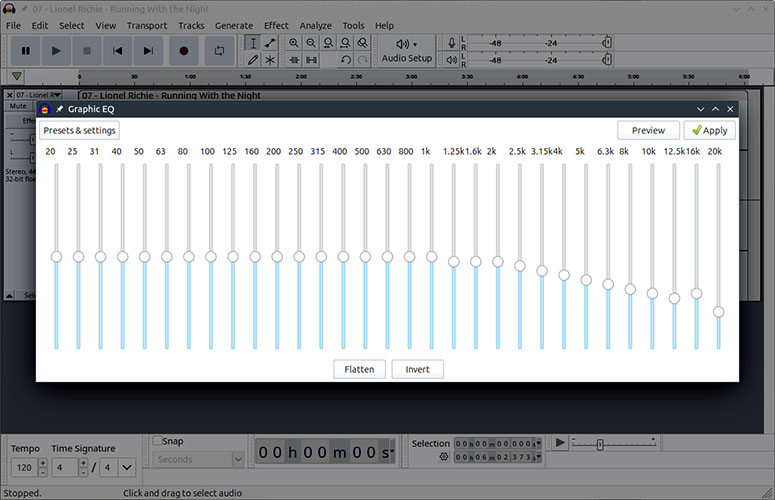
So how do we deal with this? There are several different solutions to the problem, all of which have their drawbacks. Developers of CD ripping software are generally aware of the phenomenon of pre-emphasis, but very few have ever chosen to implement measures to deal with it due to the relative scarcity of affected discs. One program that's known to be able to handle PE is iTunes, and if you are using that to rip your CDs, then you may be in the best possible place. However, audiophile internet forums are divided on just how accurately iTunes restores the intended sound on ripped tracks, with many claiming that it only does a passable job or that it doesn't always correctly identify the PE flags depending on how and where they're set. Old versions of a program called Exact Audio Copy are known to have de-emphasis capability built in, but this capability was removed many years ago and older builds of the program have to be sourced online. Even more discouraging for most users is the fact that EAC is a command-line program, making it largely incomprehensible to the non-technical, and more discouraging still is the fact that it's Windows-only, effectively excluding Mac and Linux users unless they have access to a Windows installation or run virtualization software. SoX is another command-line Windows program capable of de-emphasizing the audio in ripped files, and it may be a viable solution depending on one's level of computer literacy (TNT-Audio has a human-friendly how-to here). What I suspect will be the easiest method for most people, and the one I personally use, is to load ripped WAV files into an audio editor and manually apply a de-emphasis equalization curve. Over the years, multiple people in audiophile circles have constructed such curves based on Red Book specifications, and they can be loaded into Audacity and applied to "fix" PE-affected audio. One that I have used in the past I'm making available for download here, though I can't remember where I originally obtained it. Alternatives are here and here, and an arguably more accurate method of audio restoration using Audacity's "Filter curve" plugin (rather than simple EQ) can be found at this link.
Pre-emphasized audio has been a bigger problem than many people realize. Most just assume that the audio deficiencies in ripped audio files are due to inferior technology having been used on early CD releases (which can actually be a problem, albeit a different one). I've even heard of instances of major label artists' songs appearing on streaming and download platforms in an emphasized state, betraying the early compact disc origins of said material (inexcusable ignorance on the part of the labels!)
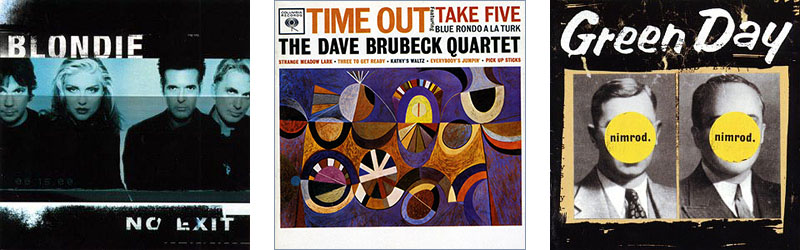
Determining just how much of a difference HDCD actually makes is complicated. In some instances, the improvement is immediately obvious. In others, the improvement is there but less immediately obvious. And in many cases, it doesn't seem to make any clear difference at all. Windows Media Player is said to reduce the playback volume of non HDCD-encoded discs when the feature is turned on in order to emphasize the supposed benefits. And frustratingly, a large number of discs boasting HDCD-enhanced audio fly completely under the radar because use of the feature is not indicated anywhere on the disc or its packaging. Many CDs that actually stand to benefit from the special encoding don't advertise its presence in the audio stream, one example being the 1997 Columbia/Legacy remaster of the Dave Brubeck Quartet's Time Out (even after decoding, though, it's still not the best sounding version of the album).
As you can see, extracting the best possible audio quality from a compact disc isn't always as straightforward as it may seem. This page aims to provide a easily understandable explanation of some of the unseen factors at play, and to provide additional context for some of the audio comparisons I've undertaken for this website. Happy listening!